We research every product we recommend. We may earn a commission from the links on this page.
Electronics › Bullet Cameras

Megapixels Don’t Tell You What a Security Camera Actually Sees

We compare published specifications and marketplace data. We do not test these products.

Bullet Cameras Can't See Width and Distance Equally
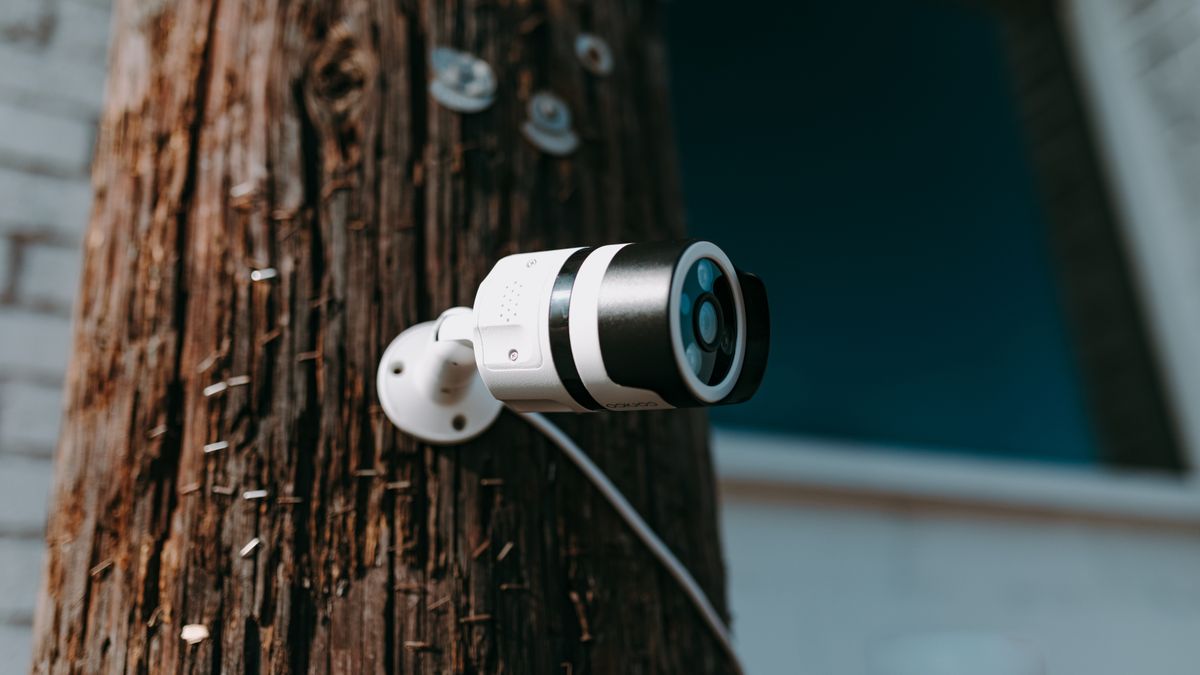
Photo by RDNE Stock project on Pexels

An 8-megapixel security camera can produce blurrier footage of a person at your fence line than a 2K camera half its resolution. The difference isn’t a defect — it’s the lens. Resolution tells you how many pixels the sensor captures. Field of view tells you how wide a slice of the world those pixels have to cover. Spread 8 million pixels across 140 degrees and each object gets fewer of them than 4 million pixels focused on 80 degrees. Here’s how resolution, lens angle, night vision, power, and storage actually interact — and which combination covers what you need covered.

Affiliate disclosure: This article contains affiliate links. We may earn a commission if you buy through them, at no extra cost to you.

Everything we recommend
4 picks

How we picked

We do not install security cameras. Judgments derive from sensor specifications, optical data, and marketplace performance patterns.

Pixel density per degree

Resolution divided by field of view determines whether a face at 20 feet occupies enough pixels to identify features.

Night capability, not marketing

IR range in feet and lux threshold at color mode determine what the camera sees after dark.

Storage architecture, not capacity alone

Local vs. cloud, overwrite behavior, and whether playback requires a subscription determine if footage remains accessible.

Real solar performance windows

Panel wattage against battery capacity and regional winter daylight hours determine whether solar sustains operation year-round.
Why 8 Megapixels Can Be Blurrier Than 4

A camera sensor is a grid of photosites. More megapixels means a finer grid — more data points to resolve edges, textures, faces. That’s real. But the lens in front of the sensor decides how much of the world gets projected onto that grid.

Point an 8MP sensor through a 140-degree wide-angle lens and each degree of the scene gets roughly 57,000 pixels. Point a 4MP sensor through a 70-degree lens and each degree gets the same 57,000. Identical detail per degree, despite one sensor having twice the total resolution. Widen the lens further and the higher-resolution sensor actually loses — more total pixels, but fewer where they count.

This is the fixed-lens trade-off, and it’s baked into hardware. You can’t change it with a firmware update. A camera with a narrower field of view will identify a face at greater distance than a wider-angle camera of the same resolution, because it’s throwing more pixels at a smaller slice of the world. A 4K camera with a very wide lens can produce footage where a person at thirty feet is a blob of color, while a 2K camera with a tighter lens renders them recognizable.

Digital zoom doesn’t rescue this. Cropping into a recorded frame and enlarging it doesn’t add detail — it just makes existing pixels bigger. A 2x digital zoom on an 8MP image yields the equivalent detail of a native 2MP capture of the same area. The pixels were already there; you’re just looking at fewer of them.

What Field of View Actually Covers

A 140-degree horizontal field of view sounds like it sees everything. At close range, it nearly does — mount the camera in a room corner and it covers most of two walls. But field of view is an angle, not a distance. At ten feet from the camera, 140 degrees covers roughly 28 feet of width. At thirty feet, it covers 84 feet. The image sensor doesn’t grow. Those same pixels now stretch across three times the space.

For a driveway camera, you often want a narrower view aimed down the length of the drive, not a panoramic sweep of the yard. For a backyard or a large room, wide angle makes sense — you’re trading identification distance for area coverage, and you accept that anything beyond fifteen or twenty feet won’t yield a clear face.

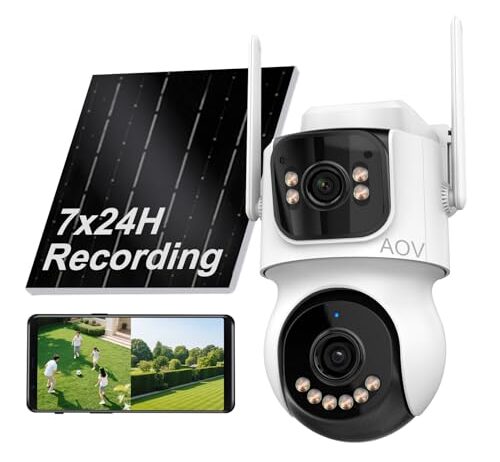
The dual-lens approach tries to split the difference in hardware. One lens covers the wide area; a second, narrower lens handles distance detail. It’s a real solution to a real physics problem, though it adds processing complexity and depends on the camera’s software to stitch or switch between feeds intelligently.

Color Night Vision vs. Infrared: Light You Can See vs. Light You Can’t

Infrared night vision uses LEDs that emit light at 850nm or 940nm — wavelengths your eyes can’t see but the camera sensor can. The sensor’s IR-cut filter shifts aside, and the image comes through in monochrome. It works in total darkness, it doesn’t announce itself with visible light, and it’s been the standard for a decade.

Color night vision isn’t really night vision. It’s a white spotlight or LED array that floods the scene with visible light so the sensor can capture color. You get color footage, which helps identify clothing and vehicle colors — genuinely useful for identification. But the spotlight is visible to everyone, including the person you’re recording. That can be a deterrent or an annoyance, depending on whether you want the camera noticed.

Cameras that offer both modes — color when the spotlight is on, IR when it’s off — give you the most flexibility. You can run IR for stealth monitoring and switch to color spotlight when motion triggers an alert. The choice matters most for perimeter cameras. Indoor cameras rarely need the spotlight; ambient light from windows or standby LEDs usually gives the sensor enough to work with.

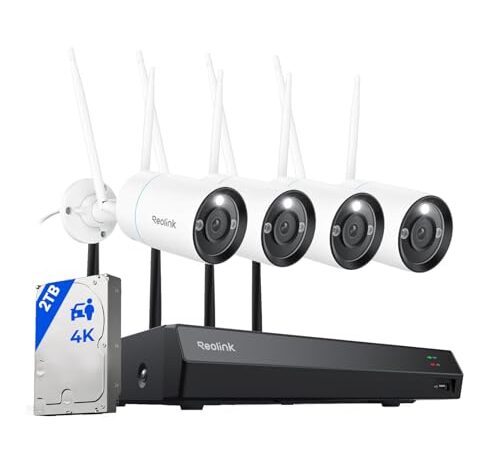
This is a fundamentally different architecture from a standalone camera. The Reolink RLK12-800WB is a four-camera system with a dedicated network video recorder. Each camera captures 8MP at 4K output and connects over WiFi 6, but the footage doesn’t live on the camera or in a cloud subscription — it writes to a 2TB hard drive in the NVR. At typical H.265 compression rates across four cameras, that’s roughly two to four weeks of continuous recording before the drive loops.

That matters because event-only recording misses context. A motion clip shows you someone at the door. Continuous recording shows you the car that dropped them off, the route they walked, and whether they came back twenty minutes later. The 16-channel NVR means you can start with four cameras and expand to sixteen without replacing hardware.

The cameras are plug-in powered and IP66 rated — sealed against high-pressure water jets, which means hose spray and driving rain aren’t a concern. Person, vehicle, and animal detection filters alerts so your phone isn’t buzzing every time a branch moves. Color night vision means you get usable color footage after dark, though the visible spotlight makes these cameras obvious. At $659.99 for the full system, this is the high-commitment option — wired power, physical NVR, professional-grade retention. It earns that cost if you need four or more vantage points recording around the clock.

Solar Power: Wire-Free Until It Isn’t

Solar-powered cameras solve a real installation problem. Running power cables to a fence post, a detached garage, or a tree line is expensive and often requires an electrician. A solar panel and rechargeable battery eliminate that wire entirely.

The trade-off is reliability. A small photovoltaic panel charges a lithium battery, and the camera draws from that battery to record, process, and transmit. In direct sunlight during long summer days, the math works. In winter — shorter days, lower sun angle, potential snow cover — the panel may not generate enough charge to keep the battery above its operating threshold. A camera mounted under an eave or in a north-facing shadow can go offline during overcast stretches.

Solar cameras compensate by throttling. Most record only on motion detection, not continuously, to conserve power. That means gaps. If nothing triggers the sensor, nothing is recorded. A person who moves slowly or approaches from an angle the motion zone doesn’t cover may not trigger a clip at all. Plug-in cameras don’t face this constraint — they’re always on, always recording if the NVR is set to continuous mode. But they’re tethered to an outlet and go dark in a power outage unless you add a UPS.

Neither power source is unconditionally better. Solar gives you placement freedom. Mains gives you uptime certainty. Know which one you need before you buy.

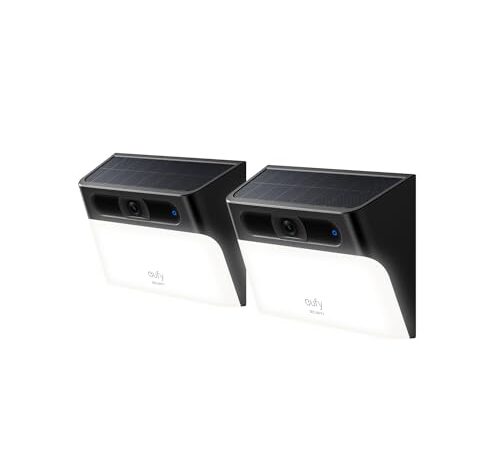
The eufy S120 is a wall-light camera, which shapes how it sees. The form factor biases the field of view downward and forward — optimized for doorways, porches, and driveways rather than wide perimeter sweeps. The built-in spotlight doubles as a motion-activated security light and provides color footage after dark, though it does mean the camera is visible when triggered.

The 8GB of built-in storage is the critical spec here. At 2K-equivalent video with standard compression, 8GB holds roughly eight to twenty-four hours of motion-triggered clips, depending on how busy your scene is and whether audio is recorded. That’s enough for a quiet residential entry. It’s not enough for a high-traffic area — once storage fills, old clips are overwritten. There’s no NVR, no cloud backup, and no monthly fee. Your footage lives on the camera and nowhere else.

That’s a deliberate trade-off. No subscription means no recurring cost and no third-party server holding your video. It also means no offsite backup — if someone steals the camera, they take the footage with it. The two-pack at $139.98 covers a front and back door for less than one month of some competitors’ cloud plans, and the IP65 rating handles rain, though not a direct hose blast. AI detection filters motion alerts, and solar charging keeps it running without outlet access. This is the camera for someone who wants coverage without infrastructure.

Storage: Hours vs. Weeks vs. Someone Else’s Server

Storage architecture determines how much history you keep and who controls it.

A 2TB hard drive in an NVR, recording four 4K cameras at H.265 compression, stores roughly two to four weeks of continuous footage. That’s the Reolink model — everything goes to a local drive, and you scrub through a timeline to find what you need. The drive is in your house, on your network, under your control.

Eight gigabytes of onboard storage on a single camera holds a fraction of that. The eufy S120’s 8GB stores roughly a day’s worth of motion-triggered clips in realistic use. For a quiet porch, that’s fine — most days have four or five events worth recording. For a busy street-facing camera, clips overwrite before you review them unless you check the app daily.

Cloud storage is the third option, and it comes with a monthly bill. Some cameras marketed as subscription-free still push cloud plan prompts in the app. The camera works without it, but the notifications get persistent. Know before you buy whether “no monthly fee” means the camera is fully functional locally or just technically operational without the features the app keeps suggesting.

WiFi 6 improves the pipe between the camera and your network, reducing latency and handling congestion better in homes with many connected devices. But the camera’s processor and compression algorithm are usually the bottleneck, not the wireless link. A WiFi 6 camera on a WiFi 5 router still works — it just falls back to WiFi 5 speeds, which are more than sufficient for a single video stream.

The Wide-Angle Compromise

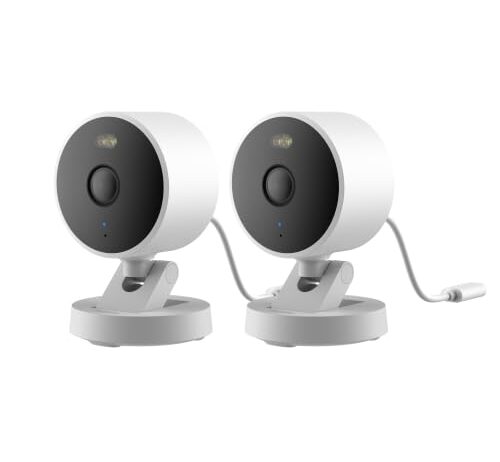
The Aqara G100 states a 140-degree field of view — the widest angle in this group and the only one with the number published. At 2K resolution, that’s roughly 4 megapixels spread across 140 degrees. The math: about 28,500 pixels per degree of horizontal coverage. Compare that to an 8MP camera at a hypothetical 80-degree view — around 100,000 pixels per degree. The Aqara sees more of the room. The narrower camera identifies people at more than twice the distance.

This makes the G100 a room camera, not a perimeter camera. Mount it in a corner and it covers an entire living room, hallway, or office. You’ll see that someone entered the room. You probably won’t identify a stranger’s face from across a large space. For indoor monitoring — checking on pets, watching a baby’s room, seeing if the cleaner arrived — that’s exactly right. For a driveway where you need to read a license plate at forty feet, it’s the wrong tool.

At $74.99 for a two-pack, the G100 is also the least expensive entry here. WiFi 6 connectivity, dual color and IR night vision, two-way audio, and compatibility with HomeKit, Alexa, and Google make it the most integrated option for a smart home. HomeKit Secure Video users get end-to-end encrypted recording through iCloud, which solves the storage question differently — Apple’s servers, Apple’s encryption, your iCloud plan’s storage quota.

How to Match a Camera to a Location

Start with what you’re trying to see, not what resolution sounds best.

Front door and porch: a forward-biased field of view at moderate resolution. You need to identify who’s there, which means enough pixels on a face at six to ten feet. The wall-light form factor works here — it points where people stand, and the spotlight doubles as a porch light.

Driveway or walkway: a narrower field of view aimed along the length, not across it. You want to track someone’s path and ideally catch a plate number, which needs high resolution and moderate angle. A dual-lens camera or a single high-resolution camera with a sub-100-degree lens is the right shape.

Backyard or large room: wide angle, lower identification expectations. A 140-degree camera covers the space in one mount point. You’ll see activity and movement patterns. Identification depends on how close the person gets.

Full property, four-plus angles: a system with an NVR. Running four standalone cameras means four apps, four storage pools, four points of failure. A unified system records to one drive, plays back on one timeline, and scales to sixteen channels without starting over.

FAQ

Can a 4K security camera identify a face at 30 feet?

It depends on the lens, not just the resolution. A 4K camera with a narrow field of view (60-80 degrees) can identify faces at 30 feet because it dedicates more pixels to each degree of the scene. A 4K camera with a 140-degree wide-angle lens spreads the same pixels across nearly twice the area, making faces unrecognizable at the same distance. Resolution sets the ceiling; the lens decides whether you reach it.

Do solar security cameras work in winter?

They work, but they work less. Shorter daylight hours, lower sun angles, and potential snow or ice on the panel all reduce charging output. A camera in direct south-facing sun may stay fully charged through winter. One mounted under an eave or in a north-facing shadow can lose enough charge to go offline during overcast stretches. Most solar cameras compensate by recording only on motion detection rather than continuously, which helps but creates gaps in coverage.

What’s the difference between color night vision and infrared?

Infrared night vision uses invisible LED light to illuminate the scene, producing a monochrome image. Color night vision uses a visible white spotlight or LED array to flood the area with light the sensor can capture in full color. Color footage is better for identifying clothing and vehicle colors. Infrared is less conspicuous. Cameras that offer both modes let you switch depending on whether you want stealth or detail.

How many days of footage does 8GB of storage hold?

At 2K resolution with motion-triggered recording and typical H.265 compression, 8GB holds roughly eight to twenty-four hours of actual footage. A quiet residential porch might generate four or five events per day, stretching that to several days of usable retention. A busy street-facing camera fills the storage in under a day. Compare that to a 2TB NVR, which stores two to four weeks of continuous 4K recording from four cameras.

Does WiFi 6 matter for a security camera?

Less than you’d expect. WiFi 6 reduces latency and handles network congestion better than WiFi 5, which helps in homes with dozens of connected devices. But a single camera’s video stream rarely saturates even a WiFi 5 connection. The camera’s processor and compression algorithm are usually the bottleneck, not the wireless link. And a WiFi 6 camera connected to a WiFi 5 router falls back to WiFi 5 speeds automatically — it still works, just without the congestion benefits.