
Affiliate disclosure: This article contains affiliate links. We may earn a commission if you buy through them, at no extra cost to you.
Hot-swap keyboard sockets use spring-metal contacts rated for about 100 insertion cycles — and every switch swap plastically deforms them a little more. Once the grip weakens past a threshold, keys chatter or stop registering even though the switch itself is fine. Here’s how socket wear actually works, what accelerates it, and which boards in this set handle the problem differently.
What a Hot-Swap Socket Actually Does
A hot-swap socket is a tiny spring-metal receptacle soldered to the keyboard’s PCB. Each socket has two contacts — one for each pin on a Cherry MX-style switch. When you press a switch in, the pins spread the spring contacts outward. The contacts’ elastic recovery clamps the pins and completes the circuit. No soldering, no commitment.
The catch is in the word “elastic.” Every time the contacts flex open and spring back, the metal work-hardens — its crystal structure rearranges under stress, trading ductility for stiffness. The contact aperture widens slightly. The clamping force drops. After enough cycles, the force falls below what’s needed to maintain a gas-tight connection between pin and socket, and oxide films start forming on the mating surfaces. That oxide layer is what kills conductivity.
Kailh rates their hot-swap sockets for a minimum of 100 insertion-removal cycles. That sounds like a lot until you realize a keyboard enthusiast testing three switch sets has already burned through 300 cycles on a full-size board — three per socket. The number isn’t a cliff, but the degradation curve steepens past it.
Why Chatter Shows Up Before Total Failure
A key that double-registers on a single press is almost always an intermittent contact problem, not a dead socket. The pin still touches the spring contact, but the grip is loose enough that vibration — from typing, from a bump on the desk — momentarily breaks the circuit. The keyboard’s controller sees a release and a re-press within milliseconds. To you, it looks like the letter printed twice.
This is maddening because it mimics a switch defect. Contact bounce inside the switch mechanism produces the same symptom. The only way to isolate the cause is to pull the chattering switch and test it in a known-good socket on the same board, or on a switch tester. If the chatter follows the socket, not the switch, you’re looking at wear.
The progression is predictable: one or two keys first, usually the ones you’ve pulled and reseated most often while experimenting. Then adjacent keys if you were swapping a row at a time. A board with 104 sockets won’t fail uniformly — the sockets you never touched are fine. The ones you used as your test bench are the ones that go.
Pin Diameter Is the Variable Nobody Checks
Cherry MX-style switch pins have a nominal diameter of 1.3 mm with a tolerance of ±0.05 mm. That’s a 0.1 mm window. Sockets are sized for the center of that range. A pin at 1.35 mm spreads the contacts wider on every insertion than a pin at 1.25 mm, accelerating the work-hardening cycle.
Mix switch brands and you compound the problem. A set of Gateron Yellows might sit at the low end of the tolerance band; a set of aftermarket linears from a smaller manufacturer might run high. Swap back and forth and you’re training the socket to accept the widest pin, then leaving it loose on the narrowest. The socket doesn’t spring back to a tighter aperture — work hardening is a one-way process.
There is no practical way for a buyer to measure pin diameter before purchase. But the rule of thumb is simple: pick a switch brand and stick with it, or at least stick with switches from manufacturers known to hold Cherry’s tolerance spec. Every brand change is a gamble on the socket’s remaining elastic range.
More Keys, More Chances for Failure
A 108-key board has 108 sockets. A 63-key board has 63. The probability that at least one socket degrades to the failure threshold within a given number of swap cycles scales linearly with key count, all else equal. This is straightforward combinatorics, not a design flaw — more sockets means more chances for one to be at the weak end of the manufacturing distribution.
That matters less if you never swap switches. It matters a lot if you’re the kind of person who buys a hot-swap board specifically to experiment. A compact layout gives you fewer sockets to wear out and fewer switches to buy for each test set.
Gasket Mounting Helps — But Not Where You’d Hope
Gasket-mount keyboards sandwich the switch plate between compressible gaskets, typically silicone or poron foam, isolating the plate from the case. The plate can flex slightly under force. This changes how the board sounds and feels when you type — less rigid, more give — and it can reduce the peak insertion force when you push a switch into its socket.
Reduced insertion force means less deformation per cycle on the socket’s spring contacts. That’s real, but it’s a marginal benefit, not a fix. The fundamental problem — work hardening of the contact metal under cyclic loading — is a material property, not a mounting-style problem. A gasket-mount board with phosphor bronze sockets will still degrade over the same number of cycles as a tray-mount board with the same sockets. The degradation per cycle might be slightly slower. The endpoint is the same.
Two boards in this set confirm gasket mounting: the Redragon K762 PRO and the RK ROYAL KLUDGE M100. Neither publishes socket material, socket brand, or a rated cycle count, so the gasket’s marginal insertion-force benefit can’t be quantified against their specific sockets.
Can You Replace a Worn Socket?
In theory, yes. Kailh and Mill-Max sockets are through-hole components soldered to the PCB. A worn socket can be desoldered with a soldering iron and solder wick or a desoldering pump, and a fresh socket soldered in its place. The part itself costs less than a dollar.
In practice, this is a repair that requires soldering skill, the right equipment, and confidence working on a populated PCB. Overheat the pad and you lift the trace. Use too much solder and you bridge adjacent pins. None of the four keyboards here sell replacement sockets as spare parts, and the repair isn’t something most buyers will attempt.
The honest answer for most people: a worn socket on a budget board is the end of that key’s reliable life, unless you’re comfortable with a soldering iron or know someone who is.
The Decision That Actually Matters
If you’re buying a hot-swap keyboard to install one set of switches and leave them, socket wear is irrelevant. Pick on layout, feel, and connectivity. Any of these four boards will hold a switch for years without degradation if you never pull it.
If you’re buying a hot-swap keyboard because you want to experiment — different springs, different bump profiles, linears versus tactiles — the math changes. Every swap cycle is a withdrawal from a finite account, and the balance is lower than you’d guess. A hundred cycles sounds generous until you multiply by the number of keys you pull each time.
For the dedicated experimenter, the ATK Edge 60/63 HE’s magnetic switches make the question moot. For everyone else, the practical advice is: swap less often, use consistent pin-diameter switches, insert straight (angled insertion bends the contacts asymmetrically), and treat the hot-swap feature as a convenience for finding your switch — not a subscription to unlimited changes.
Everything we recommend
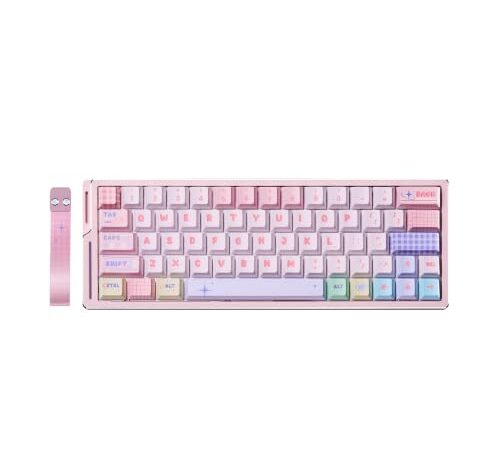
Best for frequent swappers
ATK Edge 60/63 HE Ultimate Gaming Keyboard, Wolves Esports x Leviatan Collaboration, CNC Aluminum, 8K Polling, 0.001–3.3 mm Adjustable Actuation, RGB Magnetic Switches (Pink 63 TTC Snake MagHall-effect magnetic switches eliminate pin-socket contact entirely. 63-key compact layout, CNC aluminum build, 8K polling rate. The only board here where socket wear isn't a failure mode.
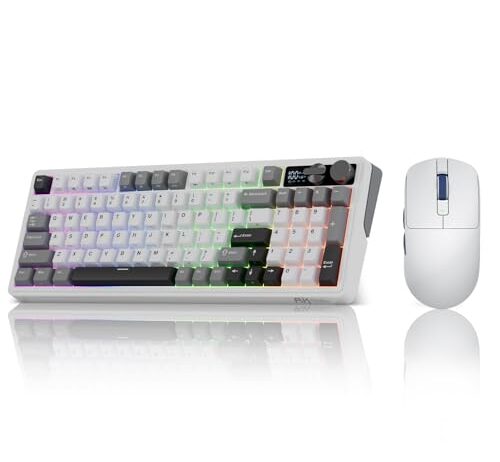
Best balance of layout and longevity
RK ROYAL KLUDGE M100 Wireless Mechanical Keyboard and M30 Gaming Mouse, Tri-Mode Gasket Mount Gaming Keyboard with Number Pad, 24000 DPI, 43g Ultra-Lightweight, PAW3311 Sensor for PC/Mac, Wh96% layout keeps the number pad, gasket mount cushions each insertion, tri-mode wireless cleans up the desk. Bundled with a lightweight gaming mouse at a mid-range price.
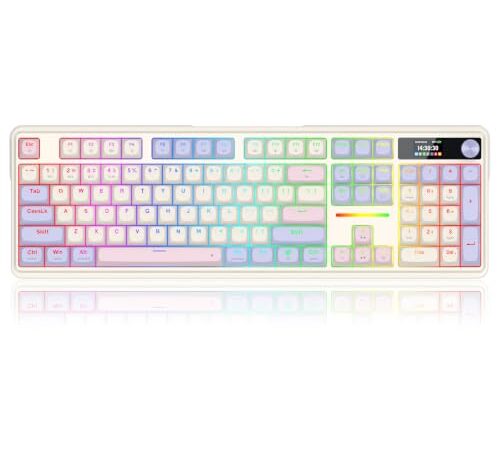
Full-size on a budget
Redragon K762 PRO Wireless 104-Key Gasket Gaming Keyboard, Screen & Knob104 keys with gasket mounting, a screen, and a knob at $76.99. The gasket helps marginally with insertion force, but this is a board to pick your switches once and commit.
Typewriter look, highest socket count
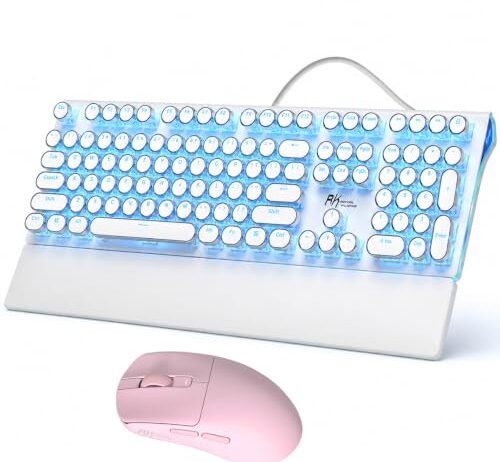
RK ROYAL KLUDGE S108 Typewriter Mechanical Keyboard Blue Backlit and RK M30 Wireless Gaming Mouse Pink108 keys in a retro typewriter frame, bundled with a wireless mouse. The most sockets of any board here — fine for a single switch set, but the most exposure if you swap often.
FAQ
How many times can I swap switches before the hot-swap sockets wear out?
Kailh rates their sockets for a minimum of 100 insertion-removal cycles per socket. Real-world durability depends on pin diameter consistency, insertion angle, and socket material. Treat 100 as a planning number, not a guarantee — some sockets will last longer, some won’t reach it.
Why do some keys chatter after I’ve swapped switches a few times?
The socket’s spring contacts have loosened enough that vibration momentarily breaks the circuit. The controller sees a release and re-press within milliseconds, registering the key twice. Test the switch in a different socket — if the chatter stays with the socket, the contact is worn.
Do magnetic switches last longer than traditional hot-swap sockets?
Magnetic Hall-effect switches don’t use a pin-socket contact at all — they detect position through a magnet and a sensor on the PCB. Socket wear from insertion cycles isn’t a failure mode. The switch still sits in a housing, but the electrical connection doesn’t depend on spring-metal grip.
Will mixing switch brands damage my hot-swap sockets faster?
It can. Cherry MX-style pins have a nominal diameter of 1.3 mm ±0.05 mm. Switches at the high end of that tolerance spread the contacts wider, and the contacts don’t spring back fully. Alternating between brands at different ends of the range accelerates wear more than sticking with one brand.
Can I replace worn-out hot-swap sockets without replacing the whole board?
Technically, yes — the socket is a through-hole component that can be desoldered and replaced. Practically, it requires a soldering iron, solder wick or a desoldering pump, and enough skill to avoid lifting PCB traces. Most keyboard manufacturers don’t sell replacement sockets as spare parts.