We research every product we recommend. We may earn a commission from the links on this page.
Cell Phones & Accessories › Wireless Chargers

Wireless Chargers Waste More Power Than You Think

We compare published specifications and marketplace data. We do not test these products.

Misaligned Wireless Chargers Waste Power as Heat in the Transmit Coil
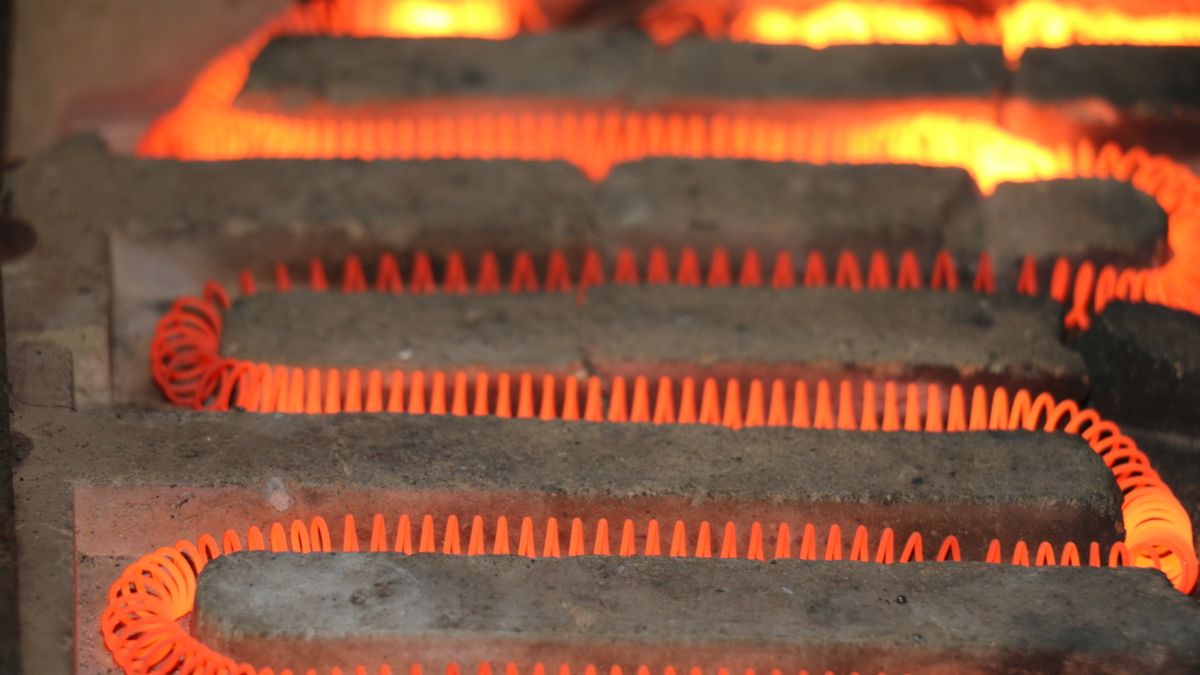
Photo by Zulfugar Karimov on Pexels

A wired USB-C charger delivers roughly 85–95% of the power it pulls from the wall into your phone’s battery. A wireless charger, perfectly centered, delivers 50–65%. Move the phone 10mm off the coil’s center and efficiency drops below 60% at the transmitter alone — while heat climbs faster than you’d expect, because the physics punish misalignment on an exponential curve. That gap between wired and wireless is the cost of convenience, and it gets worse the moment your phone isn’t sitting exactly where the coil needs it. Understanding where that energy goes — and why some charging stations handle it better than others — is the difference between a nightstand charger that works and one that warms your phone all night without finishing the job.

Affiliate disclosure: This article contains affiliate links. We may earn a commission if you buy through them, at no extra cost to you.

Everything we recommend
4 picks

How we picked

We did not plug these chargers in. Judgements come from published specifications, charging standards, and owner-reported behavior.

Certified alignment, not claimed

Qi2 certification guarantees magnetic positioning tolerances. Generic MagSafe compatibility does not.

Adapter in the box, not sold separately

A charger without a matched adapter leaves wattage to chance. We note which units ship complete.

Owner heat reports, not wattage labels

A printed wattage means little if owners report phones charging intermittently or running hot overnight.

Phone charging specifically, not device count

Three-in-one means nothing if the phone coil underperforms. We weight the iPhone charging experience over Watch and AirPods.

The Air Gap Tax

Every wireless charger is two coils separated by air. The transmitter coil in the pad generates an oscillating magnetic field — typically between 110 and 205 kHz for Qi and Qi2 devices — and the receiver coil in your phone converts that field back into current. The conversion is never free. Even under ideal conditions, with both coils perfectly concentric, a typical Qi charger loses 20–30% of its input power as heat in the transmitter alone. After rectification and voltage regulation on the phone’s side, you’re looking at 50–65% end-to-end efficiency from the wall outlet to the battery.

Compare that to a USB-C cable: 85–95%.

The gap exists because magnetic coupling between two coils separated by even 3mm of air and phone casing is inherently lossy. The coupling coefficient — a measure of how much of the transmitter’s magnetic field actually reaches the receiver — sits around 0.5 to 0.6 for well-aligned phone-sized coils. That sounds reasonable until you move the phone.

Why Misalignment Costs You Four Times the Heat

Slide your phone 10mm off-center on a charging pad. The coupling coefficient drops below 0.3. The transmitter’s response is to push more current through its coil to maintain the same power delivery to your phone. Here’s where the physics turns unfriendly: resistive heating in a copper coil follows P = I²R. Double the current, quadruple the heat.

That’s not a defect. It’s Ohm’s law.

So a phone that charges at 75% efficiency when centered might drop below 60% with a small offset — while the pad underneath gets noticeably warmer. The phone’s battery management system sees the rising temperature and throttles its own charging rate to protect the cell. You end up with a charger working harder, producing more heat, and delivering less power. The overnight result: a warm phone, a hot pad, and a battery that never quite finished.

Most Qi chargers include foreign-object detection that monitors coil impedance and temperature. If heating or impedance shifts suggest severe misalignment or a stray metal object, the system reduces power or stops charging entirely. That intermittent connect-disconnect cycle some owners describe — the chime playing every few seconds — is often FOD responding to marginal alignment, not a hardware failure.

What Magnets Actually Solve

Apple’s MagSafe ring and the Qi2 standard both attack the same problem: keep the receiver coil within a millimeter or two of the transmitter’s center so the coupling coefficient stays above 0.45. At that level, the transmitter doesn’t need to overdrive current to compensate, heat stays manageable, and 15W delivery is sustainable rather than theoretical.

The distinction between “MagSafe compatible” and “Qi2 certified” matters here. Qi2 certification, administered by the Wireless Power Consortium, requires the charger’s magnetic alignment ring to meet specific coil-positioning tolerances. A charger that calls itself MagSafe compatible may have magnets — strong ones, even — but there’s no third-party verification that those magnets position your phone’s coil where it needs to sit for efficient power transfer.

Strong magnets that hold the phone firmly but off-center are worse than weaker magnets that happen to land the coil in the right spot. The snap you feel when the phone attaches tells you the magnets are working. It does not tell you the coils are aligned.

Cases, Gaps, and the Cube-Law Drop

The magnetic field from a Qi charging coil drops off with the cube of distance. Double the gap between the coils — say, from 3mm to 6mm by adding a thick case — and you lose roughly 87% of the coupled power. The transmitter compensates by increasing current, which circles back to the I²R heating problem.

Any case thicker than about 3mm starts to matter. Metal components — kickstands, magnetic wallet attachments, credit card holders — are worse than thickness alone, because they interact with the charging field directly and can trigger foreign-object detection shutdowns.

This is why some owners report that removing their case fixes intermittent charging. It’s not that the case is “blocking” the charge in some vague sense. It’s that the extra millimeters of separation pushed the coupling coefficient low enough that the charger’s FOD circuit started cycling between charging and safety shutdown. The phone chimes, charges for a moment, stops, chimes again. The fix isn’t a better charger; it’s a thinner case or one without metal near the coil area.

Three Devices, One Power Budget

A 3-in-1 charging station has three separate jobs: iPhone, Apple Watch, AirPods. The question nobody asks at checkout is whether it has three separate coils with independent power control, or one shared power budget from a single adapter split across all three positions.

Shared-budget designs reduce per-device wattage when multiple devices charge simultaneously. A station rated at 15W may deliver that to the phone when it’s the only device on the pad — but drop to 7 or 8W per position when the Watch and AirPods join in. The Watch and AirPods draw modest power and finish fast, so the practical impact is a slower first hour of phone charging rather than a slower total. But if you set everything down at midnight and need to leave at 6 a.m., that first hour matters.

The adapter wattage is the ceiling. A station with a 30W USB-C adapter feeding three positions has real headroom. One powered by a 10W adapter through a thin cable does not, regardless of what the phone coil is rated for.

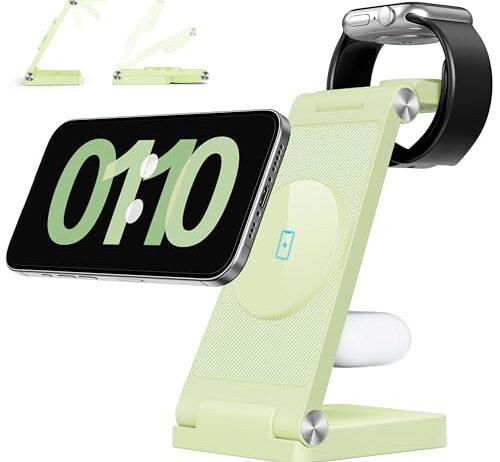
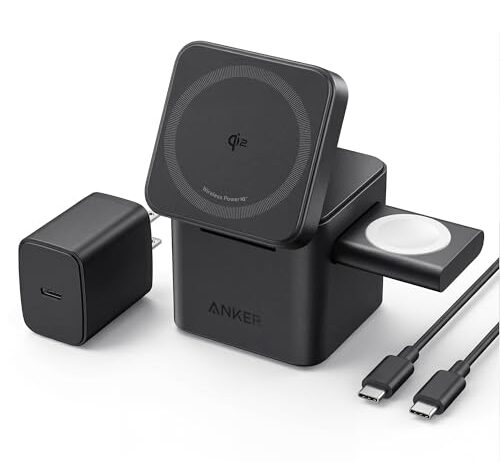
The Anker cube is Qi2 certified, which means the magnetic alignment ring meets the Wireless Power Consortium’s coil-positioning tolerances — not just “MagSafe compatible” magnets that may or may not center correctly. That certification is the difference between a charger that sustains 15W because the coils stay aligned and one that hits 15W momentarily before heat forces a throttle.

It folds into a compact cube, which matters for travel in a specific way: a flat pad in a bag shifts and flexes, while a rigid cube keeps its coil geometry intact. The included adapter removes the variable of pairing a charger with whatever USB brick you have in a drawer. At $109.99 it costs five times the budget options here, and the premium is almost entirely for verified alignment and complete packaging. One owner reported a USB-C connector that burned and melted into the power brick after extended use — a single report, not a pattern, but worth noting on a unit that stays plugged in continuously. [R2]

Why Budget Chargers Struggle With Phones Specifically

Watch and AirPods charging is forgiving. The Apple Watch uses a smaller, purpose-built inductive puck with tight mechanical alignment built into the cradle. AirPods cases sit in a shallow well that positions the coil by physical contact. Neither device demands high wattage — a few watts is plenty for their small batteries.

Phone charging is the hard problem. The coil is larger, the power demand is higher, and the alignment depends entirely on magnets or the user’s hand. A budget 3-in-1 station can get Watch and AirPods right and still fail at the one job that matters most.

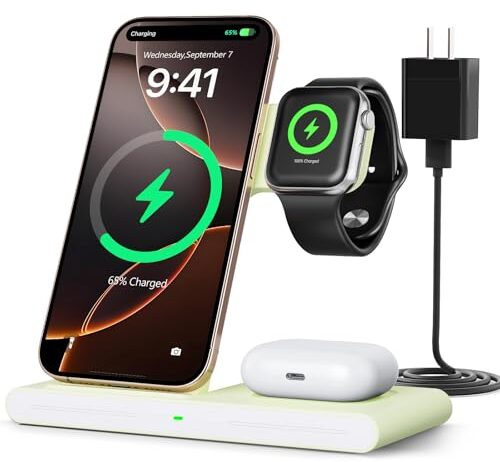
Multiple owners of the RYND B0F2T8MMV4 describe exactly this pattern. One reports the phone “kept connecting and disconnecting intermittently” with both an iPhone XR and iPhone 12 Pro, with both phones running hot — even without cases. [R3] Another reports the phone charged only 15% overnight. [R7] A third says the charger works only for the Watch and headphones, with the phone charging “for two seconds and then it stops.” [R5] One owner describes an alignment issue with smaller iPhones specifically. [R6]

That intermittent connection cycle is consistent with marginal coil alignment triggering foreign-object detection. The charger starts, senses abnormal impedance or temperature rise, shuts down to protect the device, then tries again. The phone chimes each time. Heat builds with each restart. The battery barely moves.

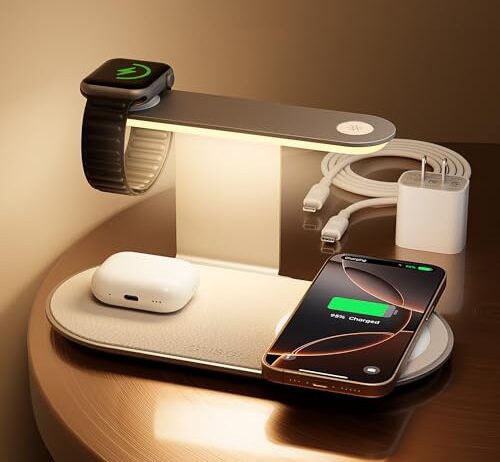
The GUSGU ships with a 30W USB-C adapter, which gives the station real headroom to deliver 15W to the phone coil while feeding the Watch and AirPods positions simultaneously. That bundled adapter solves a problem most buyers don’t think about until the charger underperforms: a 3-in-1 station rated for 15W but powered by a 10W adapter from your junk drawer will never hit its rated output.

The integrated three-level night light is a nightstand-specific feature. Wireless charging stations live on nightstands, and reaching for your phone in the dark is exactly how it ends up off-center — the scenario where alignment losses compound into heat and slow charging. A dim light that lets you see the pad without fully waking up is a small thing that addresses a real failure mode. At $30.59, it sits between the $18 budget tier and the $110 Anker, with the adapter inclusion justifying most of the gap over the cheaper options.

Android Changes the Alignment Problem Entirely

MagSafe and Qi2 exist because magnetic alignment keeps coils centered. Android phones — with a few recent exceptions — don’t have alignment magnets at all. You place the phone by hand, by feel, and hope the coils line up.

On a 3-in-1 station designed primarily for iPhones, an Android phone sits on whatever magnetic or physical guides exist for the iPhone position. If those guides are MagSafe magnets, they do nothing for a Galaxy. The phone sits where you put it, and if that’s 8mm off-center, the coupling coefficient drops, current rises, heat builds, and charging slows — with no magnetic correction to pull it back.

This makes charger design matter more for Android users, not less. A station with a physical cradle or angled stand that mechanically positions the phone by gravity and contact has an advantage over a flat pad where alignment is pure guesswork. The irony is that the cheapest chargers, which skip strong magnets to hit their price point, sometimes provide better physical guides for caseless Android phones than premium MagSafe-focused stations that rely entirely on magnetic centering.

What Overnight Charging Actually Costs

Your phone’s battery management system does most of the work overnight regardless of how it’s powered. Once the cell reaches about 80%, charging current drops sharply to protect long-term battery health — the constant-voltage phase of lithium-ion charging. The last 20% takes nearly as long as the first 80%.

With a wired charger, the efficiency penalty during this trickle phase is small — the cable’s losses don’t change much with current. With a wireless charger, the transmitter coil is still energized, still generating a magnetic field, still losing energy to heat even when the phone is barely drawing power. Some chargers are smart enough to reduce transmitter power during this phase. Others maintain full field strength and rely on the phone to reject the excess.

The practical result: a wireless charger that runs warm all night isn’t necessarily charging your phone all night. It may have finished hours ago and is now just converting wall power into heat. This is normal, not a defect, but it’s worth knowing — especially if you’re placing a warm charging pad on a wooden nightstand every night for years.

FAQ

Does a wireless charger get hot because it’s broken?

Usually not. Wireless charging converts wall power to a magnetic field and back to current, losing 35–50% of the energy as heat even when working correctly. Misalignment makes it worse — the charger pushes more current to compensate, and heat scales with the square of that current. Warmth is normal. Burning-hot or a melting smell is not.

Why does my phone charge slower on a wireless pad than with a cable?

A USB-C cable delivers 85–95% of its input power to your battery. A wireless charger delivers 50–65% under ideal alignment. The rest becomes heat. Add a thick case or off-center placement and efficiency drops further, which triggers your phone’s thermal management to throttle charging speed.

Do I need to center my phone perfectly on a MagSafe charger?

MagSafe magnets help, but they’re not a guarantee. Qi2-certified chargers position coils within 1–2mm of center automatically. Generic MagSafe-compatible chargers may snap firmly but land the coil off-center, where efficiency drops and heat rises. The snap tells you the magnets work, not that the coils are aligned.

What’s the difference between MagSafe compatible and Qi2 certified?

MagSafe compatible means the charger has magnets that attach to iPhones with MagSafe rings. Qi2 certified means the Wireless Power Consortium verified that the magnetic alignment meets specific coil-positioning tolerances for sustained 15W charging. One is a magnet. The other is a verified charging standard.

Will a 3-in-1 charger charge my iPhone at full 15W while also charging my Watch and AirPods?

It depends on the adapter. A 3-in-1 station shares one power source across three positions. If the included adapter supplies 30W, there’s headroom for 15W to the phone plus modest power to the Watch and AirPods. If the adapter supplies only 10–15W total, all three devices split that budget and your phone charges slower.

Does a thicker phone case make wireless charging less efficient?

Yes. The magnetic field drops off with the cube of the distance between coils. A case thicker than about 3mm measurably reduces coupling, and any metal in the case — kickstands, wallet attachments, magnetic plates — can trigger the charger’s foreign-object detection and cause intermittent charging or a complete shutdown.