We research every product we recommend. We may earn a commission from the links on this page.
Electronics › Stands

Metal Laptop Stands Don’t Cool the Way You Think They Do

We compare published specifications and marketplace data. We do not test these products.

Aluminum Laptop Stands Conduct Heat Away From Your Desk
Photo by John (Giannis) Tekeridis on Pexels

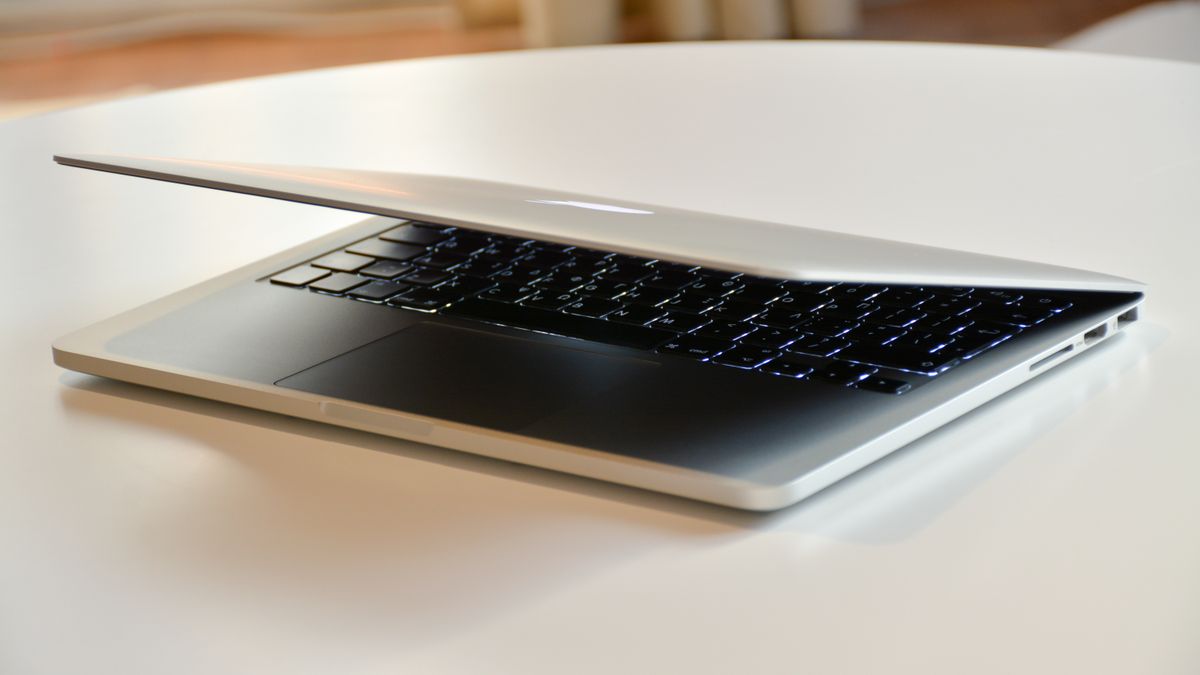
Aluminum conducts heat roughly 800 times better than ABS plastic. That number is real, sourced from materials engineering tables, and completely misleading if you think it means an aluminum laptop stand keeps your machine dramatically cooler than a plastic one. The thermal bottleneck in a laptop isn’t the stand — it’s the tiny gap between chassis and surface, the fan pathways inside, and how much air moves underneath. A stand’s material matters, but less than its geometry.

Affiliate disclosure: This article contains affiliate links. We may earn a commission if you buy through them, at no extra cost to you.

Everything we looked at
4 picks

How we picked

We do not measure laptop temperatures or handle these stands. Judgments rest on published material specifications, dimensional data, and marketplace review patterns.

Material conductivity, not claims

Aluminum thermal conductivity is verifiable from engineering tables. We prioritize documented material properties over marketing language about cooling.

Height and airflow geometry

Stand elevation and open-frame design determine how much air reaches the chassis underside, which drives actual thermal benefit.

Portability versus stability

Foldable stands trade some rigidity for packability. We note which designs stay on the desk and which travel.

Device compatibility range

Maximum screen size determines whether a stand handles a 13-inch ultrabook, a 17-inch workstation, or neither.


The 800× Number Is Real. The Conclusion Isn’t.

Aluminum’s thermal conductivity sits around 205 W/m·K. Common plastics like ABS land between 0.15 and 0.25 W/m·K. That’s a genuine difference of roughly three orders of magnitude, and it means aluminum moves heat through its own body far faster than plastic does.

But conduction requires contact. Your laptop sits on rubber feet — four small pads, each maybe a centimeter across. The total contact area between chassis and stand is a few square centimeters at most. The rest of the laptop’s underside faces open air, separated from the stand by a gap the rubber feet create.

Heat leaving a laptop takes two paths. Conduction moves it through those contact points into the stand material. Convection moves it through the air circulating underneath and around the chassis. When you elevate a laptop on any stand, you replace the desk surface — which traps warm air underneath like a blanket — with open space where cooler air can flow in from the sides and warm air can rise away.

That airflow does most of the work. The stand material handles only the fraction of heat that passes through those small contact patches. An aluminum stand does pull that fraction away faster, and its own structure acts as a heatsink — spreading heat across a larger area where it can dissipate. But the effect is incremental, not transformative.

What’s Actually Happening Inside the Laptop

Modern laptops use internal heat pipes to move CPU and GPU heat to the chassis walls and bottom panel. The processor doesn’t cool itself directly to the outside world — it transfers heat to copper pipes, which carry it to metal surfaces that radiate and convect it away. The bottom panel is one of those surfaces.

When that panel sits flat on a desk, the warm air underneath has nowhere to go. It pools, the temperature gradient between chassis and surrounding air shrinks, and heat transfer slows. The internal fans work harder, spin louder, and eventually the processor hits its thermal ceiling — typically around 90 to 100°C — and starts throttling. Clock speeds drop. Your video call stutters. Your compile takes longer.

Elevating the laptop restores that temperature gradient. Fresh air flows in. Warm air escapes upward. The fans have something cooler to work with. This is why even a stack of books under a laptop helps — the geometry change matters more than the material.

An aluminum stand adds a secondary path: heat conducts through the contact points into the stand body, spreads across the aluminum, and dissipates from the stand’s own surface area. It’s a real effect. It’s also a supporting actor, not the lead.

Will an Aluminum Stand Get Hot to Touch?

This is the question that catches people off guard. If aluminum is pulling heat from the laptop, doesn’t the stand itself get uncomfortably warm?

Not as much as you’d expect. Aluminum has a specific heat capacity of 0.897 J/g·K, which means it absorbs a fair amount of thermal energy before its temperature rises noticeably. A solid aluminum stand weighing a few hundred grams spreads the incoming heat across its entire mass and surface. The result is a surface that’s warm — perceptibly so after a long compile or a gaming session — but not hot enough to be uncomfortable.

Compare that to a thin plastic stand, which insulates. The plastic surface stays cool because it isn’t conducting heat away from the laptop at all. The laptop gets hotter; the stand doesn’t. That’s not a feature of the stand — it’s a sign that heat is staying where you don’t want it.

Angle and Height Matter More Than You’d Think

Stands vary in how high they lift the laptop and at what angle. That geometry has two separate effects, and they pull in opposite directions.

More height means more clearance underneath, which means more air volume and better convective flow. Good for thermals. But a steeper angle tilts the keyboard away from your hands, which is terrible for typing unless you’re using an external keyboard. The laptop that runs coolest at maximum elevation is also the one you can’t type on comfortably.

This is the real trade-off nobody puts on the box. A stand that adjusts height and angle independently lets you find the balance: enough elevation for airflow, enough tilt for screen viewing angle, without making the keyboard unusable. A stand that only adjusts as a single lever forces you to choose between cool and comfortable.

The foldable designs add a third variable: rigidity. A laptop wobbling on a flimsy folding mechanism is distracting at best and anxiety-inducing with a 17-inch machine. The heavier the laptop, the more the stand’s geometry under load matters — and a stand that felt rigid with a 13-inch ultrabook can flex noticeably under a 16-inch workstation.

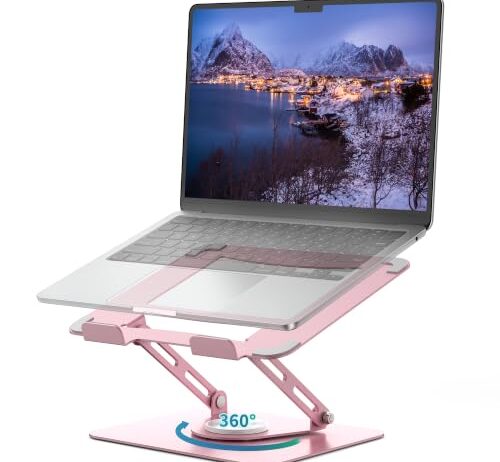
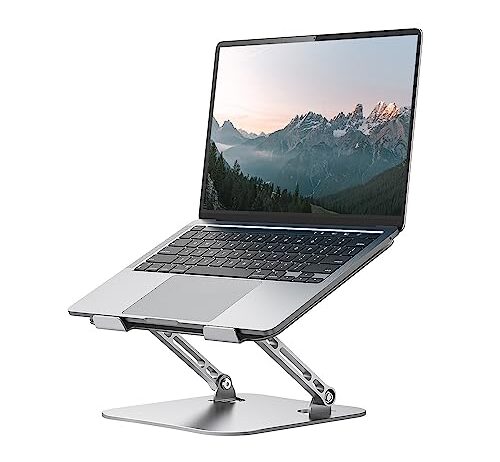
The Orlian is the straightforward choice here: aluminum body, adjustable height and angle, foldable for travel. It does the two things that actually matter for thermal management — elevates the laptop for airflow and conducts heat through contact points — without adding complexity you might not need.

The 11-to-16-inch compatibility range covers the vast majority of laptops people actually carry. It won’t fit a 17-inch workstation, but if you’re traveling with a machine that size, you probably have other thermal solutions in mind already. The foldable design means the stand goes in the bag with the laptop, which matters because a stand you leave at home is a stand that isn’t helping during a four-hour session at a coffee shop.

What it doesn’t do: it won’t charge your phone, mount to a wall, or rotate 360 degrees. That’s the point. Fewer mechanisms mean fewer points of failure and less weight in the bag.

When Material Actually Doesn’t Matter

If your laptop never throttles — if you use it for email, documents, web browsing, and the fans rarely spin up — the stand material is irrelevant to thermal performance. You’re buying for ergonomics, not cooling. Any stand that lifts the screen to eye height and lets you type at a comfortable angle is doing its job.

Material starts to matter under sustained load: video editing, compiling code, long video calls with screen sharing, gaming. These tasks push CPU and GPU temperatures toward their throttle limits, and every degree of additional cooling translates to maintained clock speeds. In that scenario, the conductive path through an aluminum stand provides a measurable, if modest, advantage.

The honest answer to “do I need an aluminum stand” is: probably not, unless you routinely push your laptop hard enough to hear the fans. And if you do, the stand is one piece of a larger thermal strategy that includes cleaning dust from vents, ensuring the internal thermal paste hasn’t dried out, and not using the laptop on a bed or couch that blocks the intake.

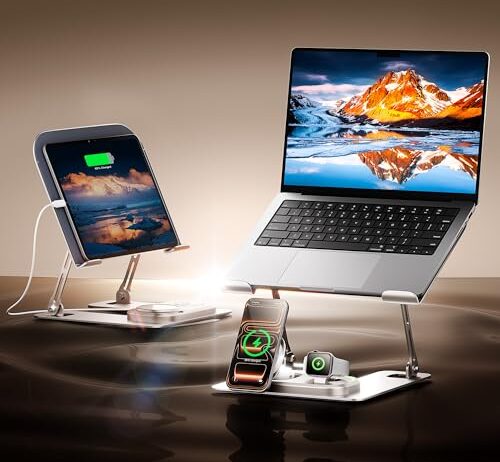
The GUSGU takes the opposite approach from a portable stand: it’s a permanent desk fixture that consolidates your charging clutter. The integrated Qi2 3-in-1 wireless charger handles an iPhone, Apple Watch, and AirPods simultaneously, which means three fewer cables and adapters on your desk surface.

The aluminum construction gives you the conductive cooling path, and the 10-to-17.3-inch compatibility is the widest range in this set — broad enough to handle everything from an iPad Pro to a 17-inch workstation laptop. The ergonomic angle adjustment lets you position the screen without fighting a single fixed tilt.

The trade-off is price and portability. At $79.90, it costs nearly three times what a basic aluminum stand runs, and the integrated charger means it’s not going in a bag. This is a desk tool for someone who’s decided where their laptop lives during the workday and wants one piece of hardware handling elevation, cooling, and device charging. If that’s not your situation — if you move between desks, work from cafes, or don’t use wireless charging — the premium buys you nothing.

The Rotation Question

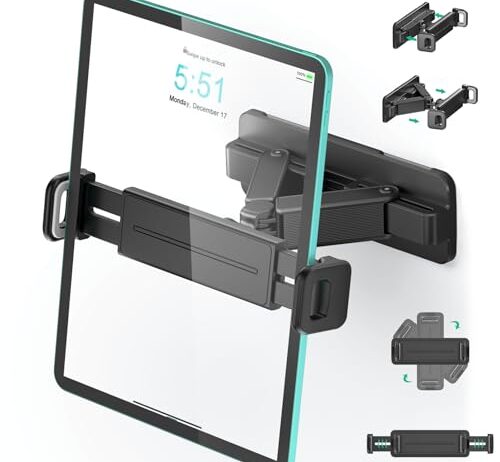
Two products in this set offer 360-degree rotation, but they solve different problems. A rotating base on a desktop stand lets you spin the laptop to show your screen to someone across the table without picking the machine up. A rotating arm on a wall mount lets you swing a tablet from portrait to landscape, or angle it toward different positions in a kitchen.

Rotation is a workflow feature, not a thermal one. It doesn’t improve or harm cooling. The question is whether you actually share your screen in person often enough to value the mechanism — and whether the rotating joint stays tight after months of use. A loose turntable under a laptop is worse than no turntable at all, because it introduces wobble into every keystroke.

If you’re buying a stand primarily for cooling, rotation is irrelevant to that goal. If you’re buying for desk ergonomics and you frequently collaborate in person, it’s a genuine convenience.

FAQ

Do aluminum laptop stands actually cool better than plastic ones?

Yes, but less than the thermal conductivity numbers suggest. Aluminum conducts heat about 800 times faster than ABS plastic, but that only matters at the small contact points where the laptop’s rubber feet touch the stand. Most cooling comes from the airflow underneath the elevated laptop, which works the same regardless of material. Under sustained heavy load — video editing, gaming, compiling — the aluminum’s conductive path provides a modest additional benefit.

Will a laptop stand help with overheating during video calls?

Usually, yes. Video calls push the CPU moderately hard for extended periods, and a laptop sitting flat on a desk traps warm air underneath. Any stand that elevates the laptop a few centimeters restores airflow beneath the chassis. The fans have cooler air to work with, and the processor is less likely to throttle. The material of the stand matters less here than the simple act of elevation.

Can a foldable laptop stand hold a 17-inch laptop without wobbling?

It depends on the hinge mechanism and the stand’s overall mass. A heavier laptop shifts the center of gravity higher, and any flex in the folding joints amplifies into visible wobble during typing. Fixed-geometry stands are inherently more rigid because they have no hinges. If you use a 17-inch machine and type directly on the laptop keyboard, test the stability before committing — what feels solid with a 13-inch ultrabook may not hold up under twice the weight.

Is a laptop stand with wireless charging worth the extra cost?

Only if you already use wireless charging for your phone, watch, or earbuds. An integrated Qi2 charger eliminates separate charging cables and adapters from your desk, but if you prefer wired charging or don’t own compatible devices, the feature adds cost without benefit. The stand itself still works as a stand either way — the charger is an add-on, not a replacement for the core function.