We research every product we recommend. We may earn a commission from the links on this page.
Tools & Home Improvement › Deadbolts

Oily Fingers and Smart Locks: What Makes Biometric Entry Fail

We compare published specifications and marketplace data. We do not test these products.

Fingerprint Sensors Fail When Skin Oil Fills the Ridges
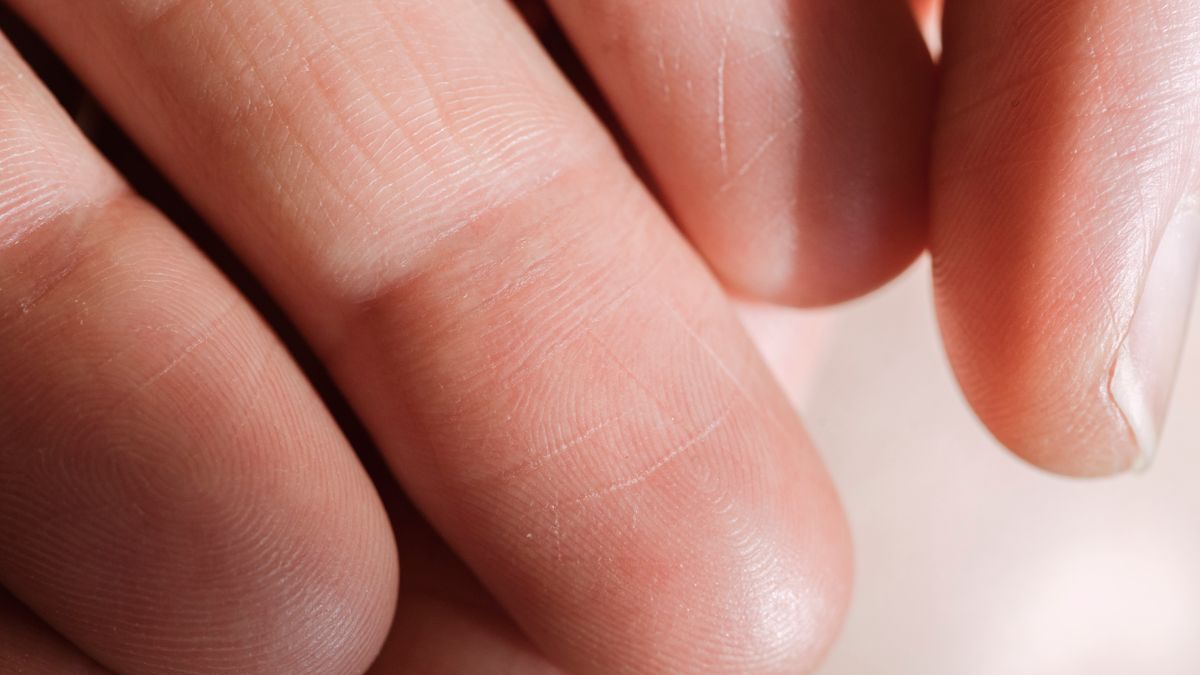
Photo by Angela Roma on Pexels

Your fingerprint scanner doesn’t care that it’s you. It cares about the electrical contrast between the ridges and valleys of your finger — and a thin film of skin oil destroys that contrast. Sebum, the waxy substance your skin produces all day, fills the tiny valleys between your fingerprint ridges and creates a nearly uniform surface. The sensor reads a smear instead of a pattern, and you’re locked out of your own front door. Three different authentication technologies handle this problem in three fundamentally different ways, and one sidesteps biology altogether.

Affiliate disclosure: This article contains affiliate links. We may earn a commission if you buy through them, at no extra cost to you.

Everything we recommend
4 picks

How we picked

We did not install these locks on a door. Judgments draw from published sensor specifications, IP ratings, and marketplace review patterns.

Sensor technology, not brand

Vein scanning operates in a different electromagnetic band than capacitive fingerprint sensors and reads subsurface structures immune to surface contamination.

Authentication count, not primary method

Six distinct unlock paths mean one sensor failure doesn’t strand you. NFC, keypad, app, and proximity unlock provide mechanical diversity.

IP rating, not marketing claims

IP65 certification documents dust-tight seals and water-jet resistance. Lower ratings fail in outdoor installations when moisture enters the capacitive array.

Total access methods, not feature list

Facial recognition, keypad entry, and app unlock each bypass finger-dependent authentication entirely. Different sensors mean different failure modes.

How a Fingerprint Sensor Actually Reads You

A capacitive fingerprint sensor is a grid of tiny capacitors — each one measures how close the skin above it sits to the sensor surface. Where a ridge presses down, the distance is small and the capacitance is high. Where a valley arches away, the distance is larger and the capacitance drops. That pattern of highs and lows is your fingerprint, electrically speaking.

The sensor doesn’t store a photograph of your finger. It stores a mathematical template derived from those capacitance measurements — the locations where ridges fork, where they end, where they curve. Match enough of those minutiae points and the lock opens. Miss too many and it doesn’t.

This works well on dry, clean skin. The problem is that human skin is almost never dry and clean, especially on hands.

What Sebum Does to the Signal

Sebum is a mixture of triglycerides, fatty acids, and squalene that your sebaceous glands push to the skin surface continuously. On your fingertips, it mixes with eccrine sweat — mostly water and salt — to form a conductive film. That film pools in the valleys between your fingerprint ridges.

Once the valleys fill, the electrical distance between ridge and valley shrinks. The capacitance readings flatten. Instead of a sharp pattern of peaks and troughs, the sensor sees a blurred field of nearly identical values. It either can’t extract enough minutiae to attempt a match, or it extracts the wrong ones and rejects you as an impostor.

This isn’t a defect. It’s physics. Any sensor that relies on surface electrical contact will degrade when the surface becomes uniformly conductive. Hot weather makes it worse — heat increases sebum production and opens sweat glands. Cooking does the same. So does exercise, moisturizer, sunscreen, or simply having naturally oily skin.

The failure isn’t random. It’s predictable, and it hits hardest at exactly the moments you most want quick entry: coming home from outside, hands full, weather hot.

Three Ways Around a Greasy Thumb

The four locks in this comparison represent three distinct strategies for dealing with — or ignoring — the sebum problem.

Avoid the surface entirely. Palm vein recognition uses near-infrared light to image the blood vessels beneath your skin. Hemoglobin in flowing blood absorbs the infrared wavelength, so veins appear as dark lines against lighter tissue. The scan happens through the skin, not on it. Oil, water, dirt, lotion — none of it reaches the vein pattern. The sensor reads what’s underneath, not what’s on top.

Skip biometrics altogether. A keypad doesn’t care what’s on your fingers as long as you can press buttons. No enrollment, no template matching, no biological input. The trade-off is obvious: a code can be shared, guessed, or shoulder-surfed. A fingerprint can’t be guessed, but it can be smeared into uselessness.

Stack fallbacks. If a lock offers six authentication methods, a fingerprint failure doesn’t lock you out — it just routes you to the next option. The fingerprint sensor still has the same physics problem, but the system around it has escape hatches.

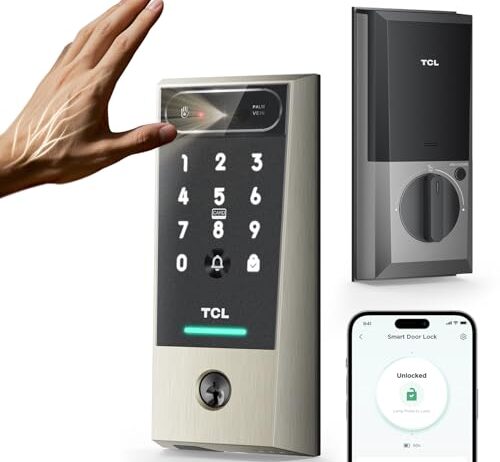
The TCL D2 Pro scans the vein pattern inside your palm using near-infrared light. The sensor sits behind a window, your palm hovers over it, and infrared illumination makes the hemoglobin in your blood vessels visible as a unique branching pattern. The reading happens below the skin surface — the layer where sebum and sweat exist simply isn’t part of the measurement.

This is a fundamentally different approach from capacitive fingerprint sensing. There’s no electrical contact, no surface conductivity to be disrupted. You could coat your hand in cooking oil and the scan would work the same way, because the infrared light passes through oil, skin, and subcutaneous fat to reach the blood vessels beneath. The trade-off is that palm vein requires a larger sensor window and a deliberate hovering gesture rather than a quick thumb press — slower in the best case, but it doesn’t have a worst case where it stops working entirely.

The rechargeable battery is worth noting here. A lock you’re relying on as your primary entry method needs to stay powered, and rechargeable means you’re on a charging schedule rather than swapping disposable cells. Keep a USB cable in the drawer by the door.

When Fingerprint Is One Option Among Six

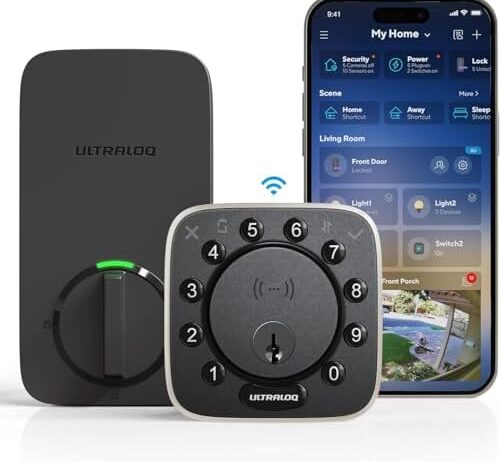
The ULTRALOQ Bolt NFC advertises a 6-in-1 system: keypad, NFC, app control, auto unlock, and fingerprint among them. If you reach the door with oily hands and the fingerprint sensor rejects you, you tap an NFC card, punch a code, or let the auto-unlock trigger from your phone’s proximity.

That redundancy has real value. But it doesn’t fix the fingerprint sensor — it routes around it. On a February morning when the temperature is below freezing and your fingers are stiff, the capacitive sensor faces a double problem: cold skin conducts less reliably, and the motor oil or hand cream you applied earlier is still sitting in your fingerprint valleys. The NFC card in your wallet doesn’t care about any of that.

The IP65 rating matters here too. IP65 means dust-tight and protected against water jets from any direction. For a lock mounted on an exterior door exposed to rain, wind-driven dust, and temperature swings, that’s the difference between a sensor that degrades over one winter and one that doesn’t. None of the other three locks in this set carry a published waterproofing certification.

The No-Biometrics Argument

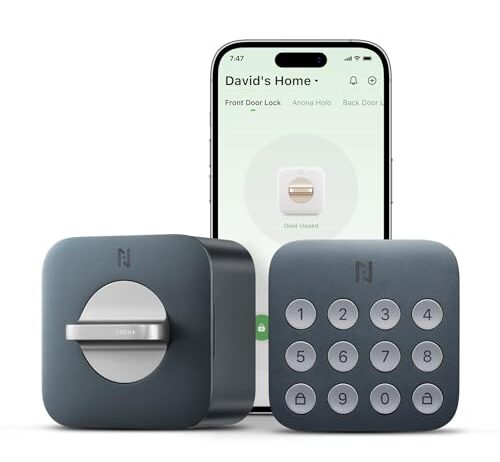
The Holo Wi-Fi Smart Lock doesn’t have a fingerprint sensor. It doesn’t have palm vein scanning or facial recognition. It has a keypad and an app. That’s it.

This sounds like a limitation, and in some ways it is — you can’t walk up and unlock with a touch. But it also means there’s no biometric failure mode at all. No sensor to get confused by wet hands, cold fingers, sunscreen, or the residue from peeling an orange. You punch in your code. The lock opens.

At $59.99, it sits at a third of the price of the most expensive lock here and a fraction of the mid-range options. Non-destructive installation means it attaches to your existing deadbolt without drilling new holes — if you’re renting, that matters more than any biometric feature. The trade-off is that everyone who enters needs to know the code or have the app, and codes get shared more casually than biometric enrollments.

AutoLock and anomaly detection add a layer of passive security. The lock re-engages after a set interval, and unusual activity triggers an alert. Neither feature requires your fingers to be clean.

Facial Recognition: A Different Sensor, a Different Failure

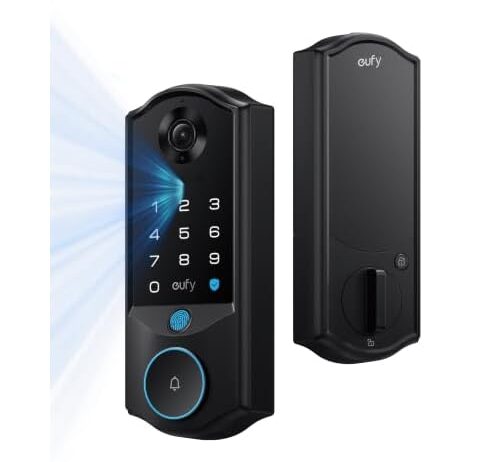
The eufy Smart Lock E40 uses facial recognition as its primary method — a 2K camera builds a depth map of your face using structured light or infrared illumination. Your hands never touch the sensor. Oily fingers are irrelevant.

But facial recognition has its own failure mode. Direct sunlight floods the infrared sensor with noise, the same way a flashlight in your eyes makes it hard to see. A lock mounted on a south-facing door in July may struggle during the brightest hours of the day. Rain on the camera lens creates distortion. A scarf pulled up over your nose in winter blocks the geometry the system needs.

The 2K camera and 32GB of onboard storage turn this lock into something more than an entry device — it functions as a doorbell camera with local video storage. Matter compatibility means it works across Amazon, Apple, Google, and Samsung smart home platforms without being locked to one ecosystem. That breadth of integration comes at $299.99, the highest price point here by a wide margin.

Dual power — battery backup for a hardwired connection — means a power outage doesn’t disable the lock. That’s worth something on a front door where dead batteries mean standing outside.

Cold Weather Compounds Everything

Lithium-ion batteries deliver roughly 50-60% of their rated capacity at 0°F. A rechargeable smart lock battery that lasts three months in summer might last six weeks in a Minnesota winter. If the lock is your only entry method and the battery dies, you need a physical backup — a key override, a USB emergency port, or a hardwired power source.

Cold also stiffens fingers and reduces blood flow to the skin surface. Capacitive sensors need conductive skin to work; cold, dry skin conducts less. Add the sebum problem on top of reduced conductivity and a fingerprint sensor faces a compounding failure: the signal is weaker and the noise is higher at the same time.

WiFi radios draw 50-150mA during active transmission. A lock maintaining a persistent WiFi connection drains its battery faster than one using Bluetooth Low Energy or NFC, which draws power only during the moment of contact. In cold weather, that radio draw eats into an already-reduced battery capacity. A lock that’s generous with WiFi polling may need charging twice as often in winter.

What Actually Decides This

If the sebum problem is your primary frustration — you’ve owned a fingerprint lock and it rejects you regularly — the fix is to leave capacitive fingerprint sensing behind entirely. Palm vein scanning reads beneath the skin surface where oil can’t reach. Facial recognition doesn’t touch your hands at all. A keypad doesn’t care what’s on your fingers.

If you want biometric convenience without the surface-contact failure mode, the vein scanner is the most direct solution to the stated problem. If you want a lock that doubles as a security camera, the facial recognition system does two jobs in one housing at a premium price. If you want the cheapest path to a smart lock that simply never has a biometric failure because it never attempts biometrics, the keypad-only option is forty dollars and installs without a drill.

And if you want to keep fingerprint as one option among several — because it is fast and satisfying when it works — a system with five fallback methods means one greasy thumb doesn’t leave you standing on the porch.

FAQ

Do smart locks with fingerprint sensors work when your hands are wet or oily?

Poorly or not at all. Capacitive fingerprint sensors rely on the electrical contrast between the ridges and valleys of your fingerprint. Water and skin oil fill those valleys and flatten the signal, causing the sensor to either reject you or fail to read a pattern. Wiping your finger dry sometimes helps, but heavy sebum buildup may require washing your hands first.

How do palm vein readers compare to fingerprint scanners for reliability?

Palm vein readers scan blood vessel patterns beneath the skin using near-infrared light. Because the reading happens below the surface, oil, dirt, moisture, and temperature have far less effect than they do on a capacitive fingerprint sensor that reads the skin surface directly. The trade-off is a slightly slower, more deliberate scanning gesture — you hover your palm instead of pressing a thumb.

What happens if the battery dies on a smart lock — can you still get in?

It depends on the lock. Some smart locks include a physical key override or an emergency USB port on the exterior that lets you supply temporary power from a portable battery. A dual-power lock with both hardwired and battery power reduces the risk of a complete dead state. Always check whether your specific lock has a mechanical backup before relying on it as your only entry point.

Will my smart lock stop working if my internet goes out?

Most smart locks store authentication data locally — fingerprint templates, keypad codes, and biometric enrollments — so they continue to authenticate and unlock without an internet connection. What you lose during an outage is remote access via the app, cloud-based notifications, and integration with smart home routines. The lock itself still functions at the door.

How often do you have to recharge a smart lock battery?

Manufacturer estimates vary widely and assume moderate use. Real-world factors that shorten battery life include persistent WiFi connections (which draw significantly more power than Bluetooth or NFC), frequent daily unlocks, and cold weather — lithium-ion batteries can lose 40-50% of their effective capacity near 0°F. Expect to recharge more often in winter than summer.