
We research every product we recommend. We may earn a commission from the links on this page.
Electronics › Surveillance NVR Kits

One Cable, One Bandwidth Budget

We compare published specifications and marketplace data. We do not test these products.

Network Bandwidth Starves Recording Quality Before Storage Does
Photo by Brett Sayles on Pexels

Every PoE NVR camera system on Amazon advertises 4K. The NVR box says 4K. The camera bullet points say 4K. But a single Gigabit Ethernet backplane carries roughly 950 Mbps of usable throughput, and a single 8MP camera stream at 15 fps with H.265 compression demands 4–8 Mbps depending on how much is moving in the frame. Multiply that by sixteen cameras and the arithmetic stops cooperating. The result is a system that quietly reduces resolution, drops frame rate, or increases compression until every stream fits through the pipe — and none of those compromises appear on the product page.

Affiliate disclosure: This article contains affiliate links. We may earn a commission if you buy through them, at no extra cost to you.

Everything we recommend
4 picks

A PoE NVR is a closed network. The cameras, the switch, the recorder, and the hard drive all live on one Ethernet backplane inside the NVR chassis, and every video stream shares the same throughput ceiling. That ceiling is Gigabit Ethernet — roughly 950 Mbps after protocol overhead — and it does not change whether you plug in four cameras or sixteen.

What changes is how the NVR divides that budget.

An 8MP camera at 15 frames per second with H.265 compression generates somewhere between 4 and 8 Mbps, depending on scene complexity. A static hallway compresses efficiently — most of the frame is identical from one second to the next, so the encoder sends differences rather than full images. A parking lot with wind-blown trees, passing headlights, and rain generates far more data per frame because the entire scene changes constantly.

Four cameras at 8 Mbps each consume 32 Mbps. That is 3% of the available pipe. Sixteen cameras at 8 Mbps each consume 128 Mbps — still well within the theoretical limit. So where does the quality loss come from?

The bottleneck is usually not the network. It is the NVR’s decoding chipset. The processor that simultaneously decompresses, records, and serves live previews for every channel has a fixed processing budget, and when that budget fills, the NVR reduces the bitrate it requests from each camera. Lower bitrate means heavier compression, which means softer detail, more blocking artifacts in motion, and faces that were identifiable at six Mbps becoming smudges at two.

How we picked

We did not install these systems. Judgements come from published specifications, compression math, and owner-reported behavior.

Channel load, not channel count

How many cameras ship versus how many channels the NVR supports determines per-stream bandwidth. A half-loaded NVR breathes; a full one compromises.

Resolution under load, not rated peak

A 4K NVR with 5MP cameras already made the trade-off for you. One shipping 8MP cameras on fewer channels let you keep more of it.

Storage per camera, not total capacity

4TB across sixteen cameras gives each one 250GB. 2TB across four gives each 500GB. Recording duration depends on the per-camera share.

Bandwidth overhead, not feature count

Pan/tilt cameras generate variable bitrate as the scene changes with every movement. Static cameras compress more predictably.


What “4K NVR” actually means

The 4K specification on an NVR describes the maximum resolution the chipset can decode on a single channel at its peak. It does not mean every channel records at 4K simultaneously. This is the single most common point of confusion in every NVR purchase, and it is entirely predictable from how the systems are built.

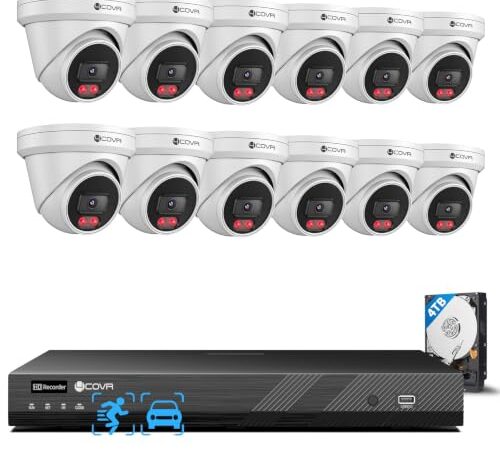
Consider the two 16-channel NVRs in this set. Both advertise 4K NVR resolution. One ships with sixteen 5MP cameras. The other ships with twelve 8MP cameras. The one with sixteen cameras already made the resolution trade-off at the factory — 5MP instead of 8MP — because the manufacturer knew that sixteen simultaneous 8MP streams would overload the decoding chipset at any reasonable frame rate. The one with twelve cameras kept the 8MP sensors but left four channels empty, which is not an oversight. Those four empty channels are bandwidth and processing headroom.

The two 8-channel NVRs each ship with four cameras on eight available channels. That is a 50% load. At half capacity, each camera can draw more bitrate from the available processing budget, which means the 8MP resolution those cameras advertise is closer to the 8MP resolution they actually deliver. Add four more cameras later and each stream gets less.

The storage math nobody does at checkout

Storage capacity on an NVR is not a feature you compare in isolation. It is a function of how many cameras write to the drive, at what bitrate, for how many hours per day.

A single 8MP camera recording continuously at 6 Mbps generates roughly 65 GB per day. Four cameras at that rate fill a 2TB drive in about eight days. Sixteen cameras at the same rate would need 1,040 GB per day — a 4TB drive lasts under four days.

But sixteen cameras rarely record at 6 Mbps each, because the NVR has already reduced their bitrate to fit the processing budget. So the storage lasts longer than the raw math suggests — not because the drive is bigger, but because each camera is recording lower-quality footage. You get more days of worse video.

The two 4-camera systems here each include 2TB drives. That is 500 GB per camera. The 16-camera system includes a 4TB drive — 250 GB per camera, exactly half. The 12-camera system also includes 4TB, giving each camera 333 GB. Per-camera storage capacity directly determines how far back you can review before the oldest footage is overwritten, and the systems with fewer cameras win that comparison by a wide margin even with smaller total drives.

Pan/tilt cameras cost bandwidth you can’t predict

A static camera pointed at a doorway generates a fairly consistent bitrate. The encoder learns the scene — the wall is always there, the floor doesn’t change, the light shifts slowly — and sends only what’s different. H.265+ exploits this predictability aggressively, and that 40–50% file size reduction over H.264 depends on it.

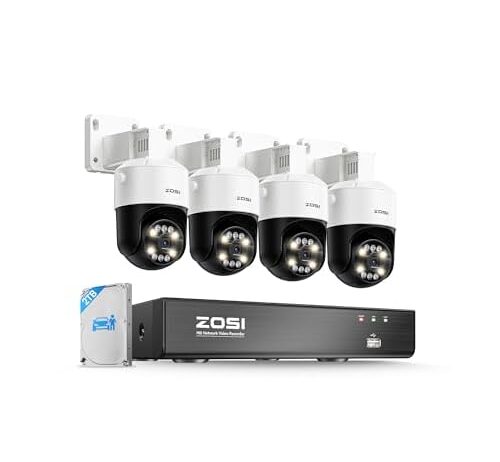
A pan/tilt camera with auto-tracking breaks that assumption. When the camera physically rotates to follow a person, the entire frame changes at once. Every pixel is new. The encoder cannot use the previous frame as a reference because the previous frame was a different part of the room. Bitrate spikes from the steady-state 4 Mbps to the peak 8 Mbps or higher for the duration of the tracking event, then settles back down when the camera stops.

If you have four pan/tilt cameras on an 8-channel NVR, a busy evening — delivery drivers, neighbors walking dogs, a cat triggering the motion zone — could push all four cameras into high-bitrate tracking simultaneously. The NVR has to accommodate those spikes or drop frames. On a half-loaded 8-channel system the headroom probably absorbs it. On a fully loaded system it would not.

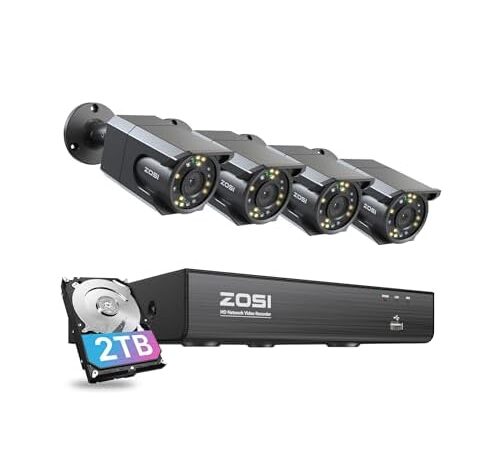
This is the simplest system in the set and that simplicity is its advantage. Four static cameras, eight available channels, H.265+ compression, and a 2TB drive that gives each camera 500 GB of rolling storage. At half channel load, the NVR’s decoding chipset is under minimal pressure, which means the 8MP resolution printed on the cameras is close to what each one actually records.

Starlight color night vision means the image sensor captures usable color in low ambient light without switching to infrared black-and-white. Human detection filters motion alerts so you are not notified every time a branch moves. Two-way audio lets you speak through the camera, though the microphone quality on budget PoE cameras is functional rather than good — expect walkie-talkie clarity, not speakerphone quality.

The trade-off is mechanical simplicity. These are fixed cameras — no pan, no tilt, no auto-tracking. You point them during installation and that is where they look. For a four-camera residential system covering a front door, a driveway, a back yard, and a side gate, fixed coverage is usually the right call. You know what you want to see. The camera does not need to guess.

One owner reports intermittent video loss at dusk on outdoor-mounted cameras, and a second unit showed the same behavior less frequently, suggesting the issue may relate to the sensor’s transition between day and night modes rather than a single defective unit. ZOSI’s customer service drew repeated complaints about scripted troubleshooting responses that did not resolve connectivity issues. If you need responsive manufacturer support, that pattern is worth knowing before you buy.

When the camera count is already the compromise

A 16-channel NVR with sixteen 5MP cameras is a system where the manufacturer already did the bandwidth math and chose camera count over per-camera resolution. At 5MP — 2560×1920 pixels — each camera captures 60% fewer pixels than an 8MP sensor. That is a real difference in identifiable detail at distance. A face that is recognizable at 30 feet in 8MP may be a blur at the same distance in 5MP, particularly in compressed recordings where the encoder has to decide which details to keep.

The benefit is coverage density. Sixteen cameras cover more angles, more entry points, more blind spots. For a commercial property with a large parking lot, multiple entrances, and interior hallways, having sixteen simultaneous views matters more than having each view be marginally sharper. The IK10 vandal-resistant dome housings on this system reinforce the commercial intent — an impact rating of 20 joules means someone can hit the camera with a pipe and the internals survive.

IP67 weatherproofing — dust-tight, submersible to one meter for 30 minutes — is shared by both 4COVR systems but only one of the ZOSI systems specifies it. For outdoor installation in climates with driving rain or snow, that rating is the difference between a camera that lasts years and one that fogs internally after its first winter.

This system occupies the middle ground that neither the fully loaded 16-camera set nor the half-empty 8-channel systems reach. Twelve 8MP cameras on sixteen channels means each camera gets more processing headroom than a fully populated system, while twelve simultaneous views cover significantly more ground than four.

The four open channels are not decorative. They are the answer to the question every NVR buyer eventually asks: what happens when I add more cameras? On a fully loaded 16-channel system, the answer is nothing — you cannot. On this system, you can add four more cameras and the NVR will handle it, though each of the now-sixteen streams will get a smaller slice of the processing budget. The practical consequence is that your first twelve cameras may drop from their current bitrate to accommodate the new four, but you started with enough headroom that the drop is a reduction, not a cliff.

At $1,199.99 for twelve cameras, the per-camera cost is $100 — higher than the other systems here. The premium buys 8MP sensors instead of 5MP on a high-channel NVR, plus AI-based human and vehicle detection that filters alerts more accurately than simple motion detection. For a property that needs both coverage breadth and detail depth, that premium funds a genuine capability difference rather than a brand markup.

What adding cameras actually does to existing ones

This is the question that generates the most regret. You buy a 4-camera system on an 8-channel NVR because the price is right and you figure you will expand later. You buy four more cameras, plug them in, and your recordings look worse. Nothing is broken. The NVR is doing exactly what it was designed to do.

When you go from four cameras to eight on an 8-channel NVR, you double the aggregate bitrate demand on the decoding chipset. If the chipset was running at 40% capacity with four cameras, it is now at 80%. The system accommodates the additional load by reducing the bitrate allocated to each stream, which means every camera — including the four you had before — now records at lower quality. Your original cameras did not degrade. The NVR’s budget for each one shrank.

This is why the channel utilization ratio matters more than the channel count. A 16-channel NVR with 12 cameras has the same headroom profile as an 8-channel NVR with 5 cameras. Both are running at 75% channel capacity, and both have room for a few more streams before the chipset starts making compression trade-offs.

The safest expansion strategy is to buy the NVR with the most channels you will ever need and populate it slowly. Each camera you add slightly reduces the per-stream budget of every camera already connected, but starting with headroom means the reductions are small enough that quality remains usable.

The recording math: days of footage, not terabytes of drive

Nobody cares how many terabytes their NVR has. They care whether the footage from Tuesday night is still there on Friday morning when they check why the gate was open.

At 6 Mbps average bitrate per camera with H.265 compression, a single camera generates about 65 GB per day of continuous recording. Here is what that means for each system:

The two 4-camera systems with 2TB drives: 65 GB × 4 cameras = 260 GB per day. A 2TB drive holds roughly 7.5 days of continuous footage before overwriting begins. That is just over one week of lookback.

The 12-camera system with a 4TB drive: 65 GB × 12 = 780 GB per day. The 4TB drive lasts about 5 days. The 16-camera system with 4TB: 65 GB × 16 = 1,040 GB per day. Under four days of retention.

These numbers assume the cameras are recording at full quality. In practice, most of these systems use motion-triggered recording or reduced bitrate during idle periods, which stretches retention significantly. But the baseline matters because it sets the floor — the worst-case scenario where everything is recording all the time at full resolution.

If you need more than a week of lookback on a 16-camera system, you are shopping for a larger hard drive on day one, not later. Most NVRs accept a standard 3.5-inch SATA drive, and upgrading to 8TB or 10TB is straightforward, though it adds cost the sticker price does not include.

FAQ

Does a 4K NVR mean every camera records in 4K at the same time?

No. The 4K specification describes the maximum resolution the NVR chipset can decode on a single channel. When multiple cameras record simultaneously, the NVR divides its processing budget among all active streams. The more cameras recording, the less bitrate each one gets, which can reduce effective resolution below 4K even if the cameras have 8MP sensors.

Will adding more cameras to my NVR reduce the quality of my existing cameras?

Yes. Each camera you add increases the total demand on the NVR’s decoding chipset. The NVR responds by reducing the bitrate allocated to every active stream, including cameras that were already connected. The reduction is gradual — going from four to five cameras on an eight-channel system is barely noticeable, but going from four to eight may produce visibly softer recordings.

How many days of footage will a 2TB hard drive hold with four cameras?

At continuous recording with H.265 compression and a typical bitrate of 6 Mbps per camera, four cameras generate about 260 GB per day. A 2TB drive holds roughly 7–8 days before the oldest footage is overwritten. Motion-triggered recording extends this significantly because the cameras only write when something moves.

Why do some 16-channel NVRs come with 5MP cameras instead of 8MP?

Because the NVR’s processing chipset cannot sustain sixteen simultaneous 8MP streams at a reasonable frame rate. The manufacturer chose to include more cameras at lower resolution rather than fewer cameras at higher resolution. A 5MP camera captures 2560×1920 pixels — still a clear image, but 60% fewer pixels than 8MP, which means less detail at distance.

Do I need a separate PoE switch or can all cameras plug directly into the NVR?

Most PoE NVRs have a built-in network switch with enough ports for the included cameras plus a few extras. You only need a separate PoE switch if you want to add more cameras than the NVR has ports, or if the cable runs exceed the 100-meter Ethernet limit and you need a switch at a midpoint. Adding an external switch does not change the NVR’s processing bottleneck — it only extends the physical network.